
Platform change
Will your Apple Wallet loyalty card change in iOS 27?
Written by Devansh Garg and Pranav Agrawal, co-founders of Brava. Last reviewed August 2026. 9 minute read.
No, not on its own. Your existing Apple Wallet loyalty card keeps its current design when a customer updates to iOS 27, because Apple’s new pass style is opt-in and converts nothing automatically. Google works the other way round. Its Android Wallet redesign lands on Google’s own schedule, with or without you.
Apple announced iOS 27 at WWDC on 8 June 2026 and has confirmed it ships publicly in September (Apple, WWDC26 session 209). Three things change for loyalty cards: a full-bleed pass style called Poster Generic, up to two tappable tiles on the card face, and a tap-to-share handoff at the counter.
Brava commits to Poster Generic and Featured Actions being available on the first day iOS 27 ships. Every wallet platform we checked has published on the update without committing to a date.
Apple against Google
How do the two rollouts differ?
On Apple you have to choose the new style before anything happens. On Google the redesign arrives on Google's schedule whether you act or not. Most Indian merchants issue on both platforms, which leaves two different kinds of change to keep track of.
Apple Wallet
iOS 27, September 2026
- Existing passes
- No. Poster Generic is opt-in and nothing converts on its own.
- Who controls the timing
- You do, by reissuing the pass in the new style.
- Older phones
- One pass can carry both a Poster Generic layout for iOS 27 and the existing generic layout for iOS 26 and earlier.
- Buttons on the pass face
- Up to two Featured Actions, across pass styles.
Google Wallet
Android redesign, 2026
- Existing passes
- Yes. The Android Wallet redesign applies automatically.
- Who controls the timing
- Google does, on its own rollout schedule.
- Older phones
- Handled by Google, not by the issuer.
- Buttons on the pass face
- A separate product change from Apple's Featured Actions.
Your cards
Can Brava customers go live on day one?
Yes, for Poster Generic and Featured Actions. Brava merchants can switch to the new pass style and add both tiles from the day iOS 27 ships publicly. Both are in build now and pilot merchants are testing them against the developer beta. Tap to Share is different. It needs a merchant device that supports it, so that one depends on your counter hardware.
The other wallet platforms have written about the update without committing to when they will support it. PassKit tells its customers “no action is required at this time” (PassKit). Passcreator says its support arrives “as soon as the features are ready for production”. walletwallet.dev lists the features as “announced, no date”. We have committed to a day, which is the day Apple ships.
What we need from you, and when
- 1.Artwork, full-bleed, subject centred. This takes real time on your side and we cannot do it without you, so start here.
- 2.Your two actions. Pick the destinations from the list above, or tell us the journey you want and we will map it.
- 3.Nothing else. Your existing cards keep working unchanged on iOS 27, iOS 26 and older, and on Android, whether or not you adopt any of this.
Send us artwork before the release and your cards change on launch day. Talk to us and we will set it up, or see a Brava pass on your own phone first.
The dates
When does iOS 27 come out?
September 2026. Apple announced iOS 27 at WWDC on 8 June and has confirmed the month but not the day. Its iPhone event is expected on 9 September, which is normally where the release date is made official, and reporting points to a public release on 14 September. A public beta has been open since 13 July, but that is test software and not the release your customers will be running.
- 8 June 2026Apple announces iOS 27 at WWDC. Developer beta 1 the same day.
- 13 July 2026Apple opens the iOS 27 public beta. Test software, not the release.
- 9 September 2026Apple event expected, where the release date is normally confirmed.
- September 2026iOS 27 ships publicly. Apple has said the month, not the day; reporting points to 14 September.
The new look
What is the Poster Generic pass style?
Poster Generic is a new Apple Wallet pass style for memberships, loyalty, gift and rewards cards. It puts your artwork full-bleed behind the pass content, instead of the small letterboxed strip image the current generic style allows. The artwork becomes the card, and your brand gets the whole surface rather than a band across the top.
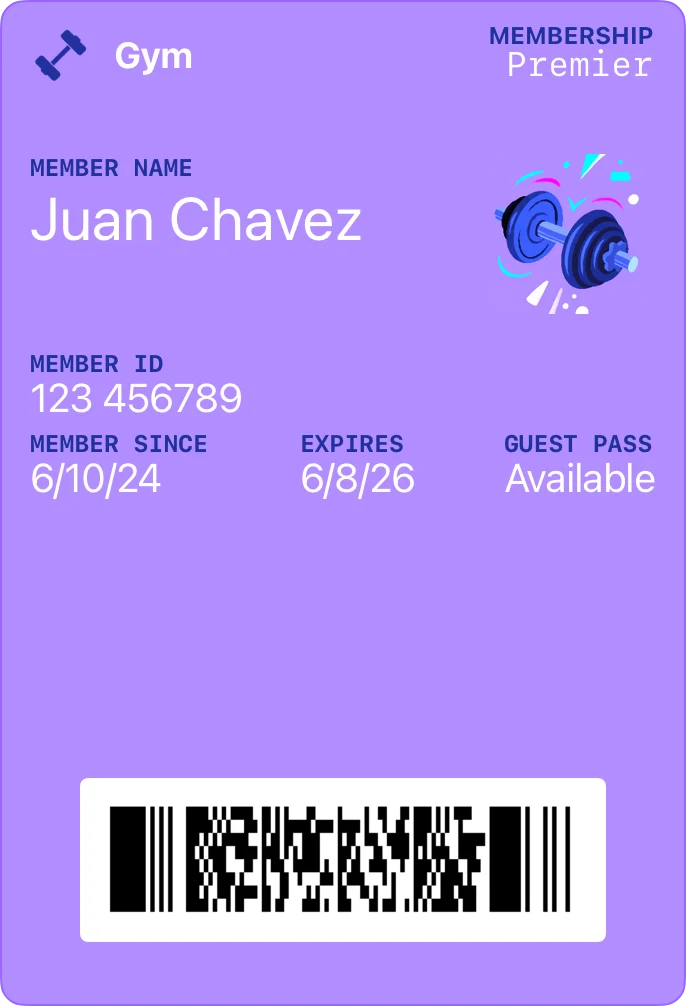
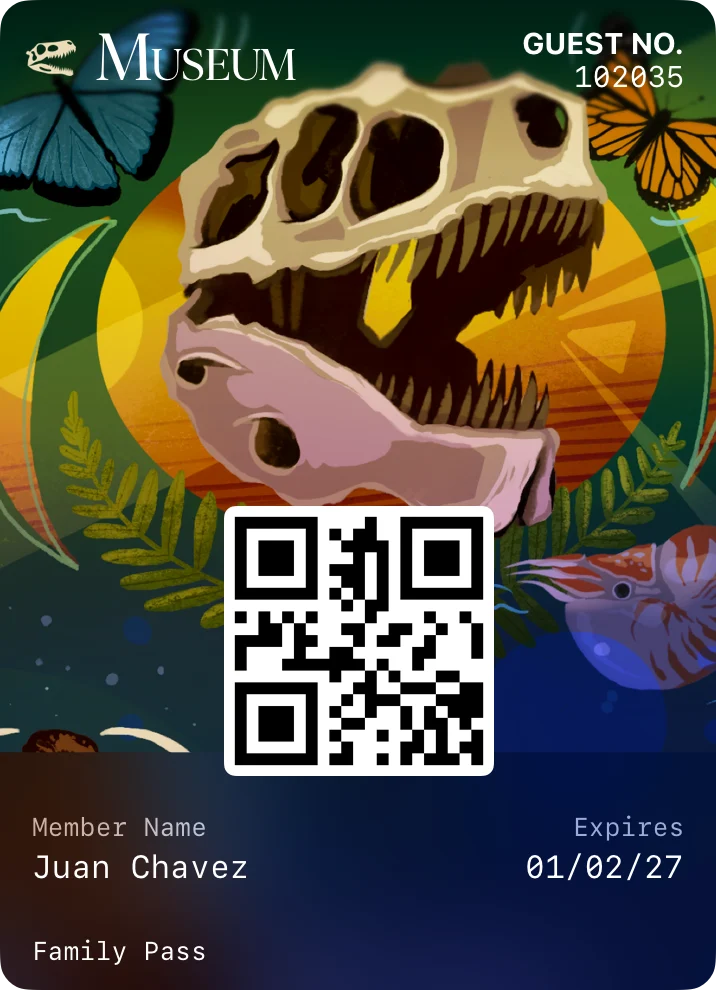
The field structure is fixed and worth knowing before anyone designs anything: a logo, header fields, primary fields, exactly one footer field, and an optional barcode. If a pass supplies more than one footer field, only the first is displayed (Apple developer documentation). Everything else belongs on the back of the pass.
The artwork rule nobody reads until it goes wrong
Apple controls how the background is cropped and it crops differently across device sizes, so parts of your image will not always be visible. Keep the subject near the centre and treat the edges as expendable. A logo in a corner will be cut off on some phones and not others, which is far harder to fix once passes are already in customers' wallets than before you issue any.
Send us your artwork and we will check the crop across real device sizes before a single pass goes out.
The biggest change
What are Featured Actions, and what should your card link to?
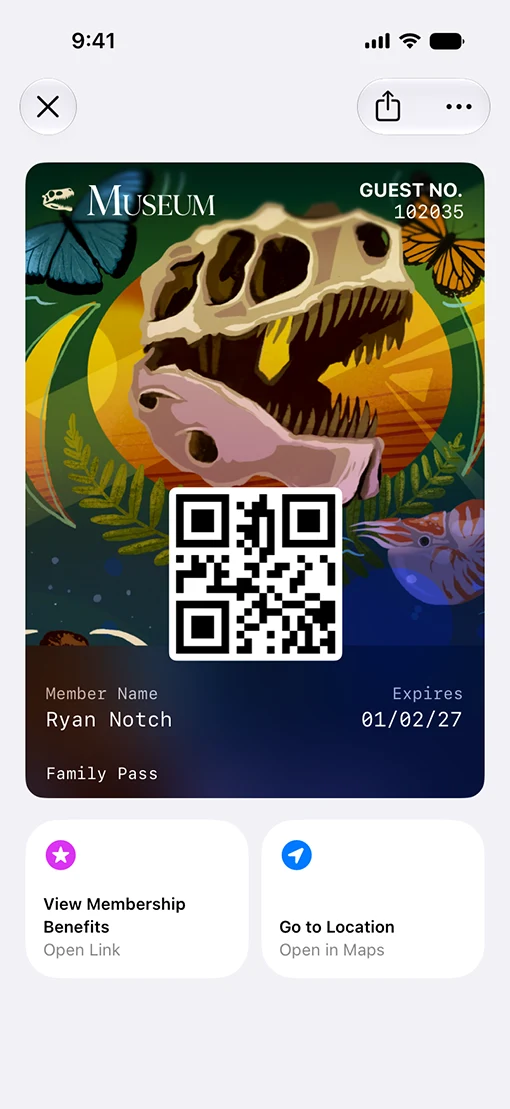
Featured Actions are up to two tappable tiles on the face of a pass. They existed only on event tickets before iOS 27 and now work across pass styles, loyalty cards included. Each is declared with a type such as membershipBenefits or viewMembership pointing at a universal link, and Apple draws the icon and wording from the type (Apple, WWDC26 session 209). You choose the destination, not the label.
The redesign gets more coverage because it photographs better, but this is the change with the commercial case behind it. Two tiles give the card a job beyond identifying who is holding it. They put whatever you want the customer to do next one tap away.
Cafes and restaurants
Order again and View rewards. A regular who has opened the pass is already at the counter or thinking about the next visit, so the reorder and the rewards balance are the two things worth putting one tap away. Brava for cafes.
Salons and spas
Book next appointment and View rewards. Retention in these businesses runs on the next appointment being booked, and a tile on the card removes the phone call that step usually needs. Brava for salons.
Retail and prepaid
Top up balance and Current offers. A stored-value balance is a number customers come back to check, so pairing it with current offers gives both tiles a reason to be tapped. Brava for retail.
At the counter
What is Tap to Share, and why does it matter for enrolment?
Tap to Share lets a customer tap their iPhone against a merchant device to hand over loyalty and rewards details, email, contact information and shipping address, wired into the redesigned Apple Pay checkout sheet. For a loyalty program it removes the counter conversation: no phone number asked for, no QR code to find, no app to install.
That is worth more to an Indian operator than it sounds. Asking for a mobile number with a queue forming is where counter enrolment tends to break down, and the wallet model never had a clean answer for that step. Tap to Share removes the ask entirely. It does need a merchant device that supports it, which makes it a hardware decision at your counter. The mechanics are on wallet loyalty cards.
Also shipping
What else is in the update?
Four new barcode formats and two Apple-built developer tools. iOS 27 adds EAN-13, Code 39, Codabar and ITF alongside the existing QR, PDF417, Aztec and Code 128 support, and Apple introduced Pass Designer for Mac and Pass Builder for servers (Apple developer documentation).
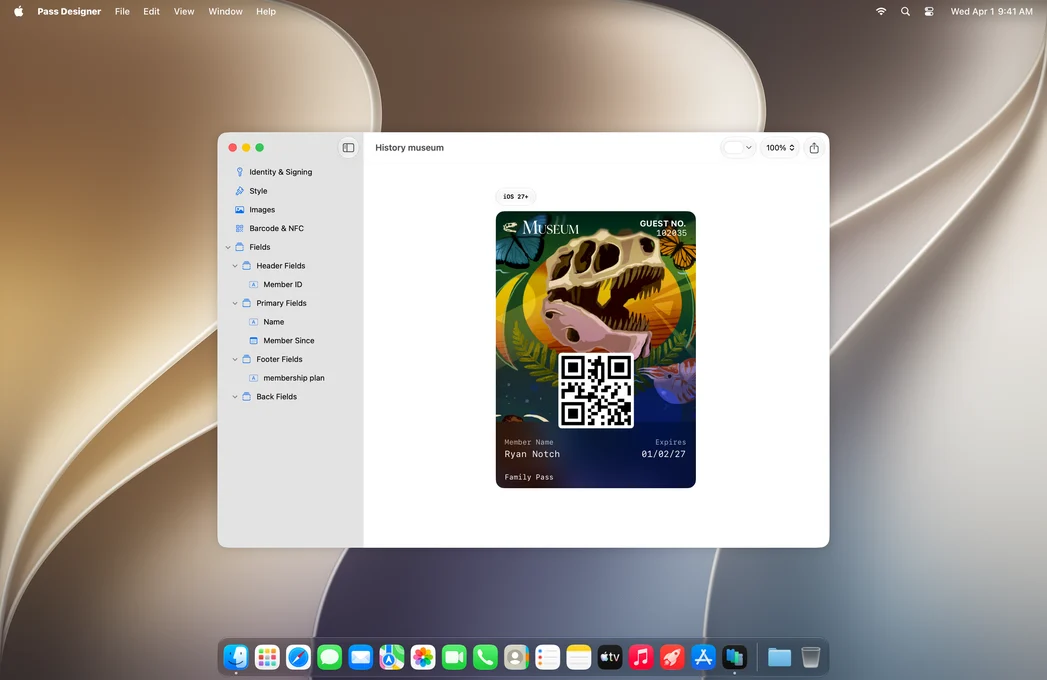
None of it needs a decision from you. The barcode formats sound more relevant than they are: EAN-13 identifies merchandise, and Code 39, Codabar and ITF solve legacy scanner constraints. A loyalty card scanned by staff on a phone camera is served perfectly well by QR.
Verification
Where this came from, and how current it is.
Everything above is drawn from Apple’s WWDC26 Wallet session and developer documentation, plus PassKit’s customer note on the same changes, which tells its own users that “no action is required at this time.” The pass image is Apple’s own, from its developer site. Nothing here has been verified against a public iOS 27 build, because there is not one yet. This page is updated when that changes.
Sources
Change log
- 23 August 2026: First published, from Apple's WWDC26 session 209, Apple developer documentation and PassKit's customer note. The pass image is Apple's own. No claim here has been verified against a public iOS 27 build.
Common questions
Asked and answered.
When does iOS 27 come out?
Apple announced iOS 27 at WWDC on 8 June 2026 and has confirmed it ships in September 2026, without naming the day. Its iPhone event is expected on 9 September, which is normally where the date is confirmed, and reporting points to 14 September. A public beta has been available since 13 July, but that is test software rather than the release.
Will my existing Apple Wallet loyalty card change automatically in iOS 27?
No. Apple does not convert existing passes to the new Poster Generic style. A card issued before iOS 27 keeps its current layout until someone reissues it in the new style. Google is the opposite case: the Android Wallet redesign announced at I/O 2026 applies automatically, so your Google passes can change appearance without any action from you.
What is the Poster Generic pass style in iOS 27?
Poster Generic is a new Apple Wallet pass style for memberships, loyalty, gift and rewards cards. It places full-bleed artwork behind the pass content instead of the small strip image the existing generic style uses. It carries a logo, header fields, primary fields, exactly one footer field, and an optional barcode. Extra footer fields are ignored: only the first is displayed.
What are Featured Actions on an Apple Wallet pass?
Featured Actions are up to two tappable tiles on the face of a pass in iOS 27. They previously existed only on event tickets and now work across pass styles, loyalty cards included. Each is declared with a type such as membershipBenefits or viewMembership pointing at a universal link. Apple draws the button design, icon and wording from the type, so you choose the destination rather than the label.
What is Tap to Share in Apple Wallet?
Tap to Share lets a customer tap their iPhone to a merchant device to hand over loyalty and rewards details, email, contact information and shipping address, tied into the redesigned Apple Pay checkout sheet. For loyalty enrolment it replaces the counter conversation: no phone number asked for, no QR code to find, just a tap. It needs a merchant device that supports it.
When will Brava support the new iOS 27 loyalty card features?
Brava commits to Poster Generic and Featured Actions being available to merchants on the first day iOS 27 ships publicly. Both are in build now and pilot merchants are testing them on the developer beta. PassKit, Passcreator and walletwallet.dev have all published on iOS 27 and none has named a support date. Existing Brava cards keep working unchanged if you would rather wait.
Do the four new barcode formats in iOS 27 matter for a loyalty program?
Usually not. iOS 27 adds EAN-13, Code 39, Codabar and ITF to the existing QR, PDF417, Aztec and Code 128 support. Those solve legacy scanner and retail merchandise problems. A loyalty card scanned by staff on a phone camera is served by QR, so the new formats matter only if you are integrating with older barcode hardware that cannot read QR.
See a Brava pass on your own phone
15 minutes. We will issue you a real wallet pass, walk through the segmentation, and price your business.